



Quick Summary
⭐ Turn traffic into owned audiences: A high-converting welcome popup relies on smart timing, compelling copy, and mobile-first design—pairing instant value with clear next steps that drive purchases.
📝 Keep forms ruthlessly simple: Use one required field with explicit consent, validate entries in real time, and store data securely so customer profiles stay clean, compliant, and actionable across channels.
🎁 Upgrade incentives strategically: Move beyond blanket discounts by aligning offers with AOV and margins, using unique expiring codes, and adding loyalty points or exclusive content to boost value without hurting profitability.
⚡ Deliver instant satisfaction: Use an in-popup thank-you that reveals the coupon, provides download access, and includes a “Shop Now” CTA—while tracking clicks and revenue for reliable attribution.
📊 Iterate continuously for compounding gains: Measure view-to-submit rate, submission quality, and revenue per view; A/B test timing, copy, layout, and offers; and compare mobile versus desktop to optimize over time.
A strategic welcome popup can turn anonymous traffic into subscribers, buyers, and loyal fans in minutes, not months.
The catch is that most popups fail because they’re generic, clunky on mobile, ask for too much information, skip consent, or bury the promised reward.
This guide shows ecommerce marketers how to build a high-converting, compliant, Mobile Friendly Popups strategy that scales with your store and actually drives revenue.
What A Welcome Popup Is And When To Show It
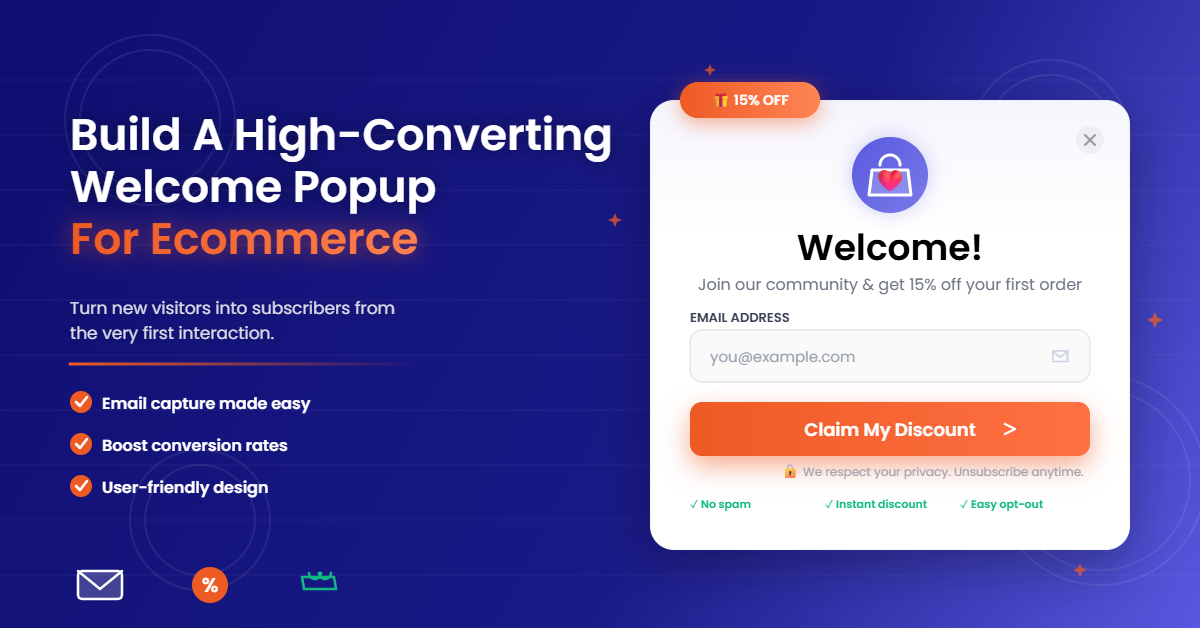
A welcome popup is a short, on-brand message that appears for new visitors, offering clear value in exchange for an email or phone number. Its purpose is simple: capture permission, deliver an incentive or resource, and guide the next click.
Timing is everything. For first-time visitors, show your welcome popup after a short delay of 5–8 seconds, or at 30–50% scroll when intent is higher. Time-based triggers work well on content-heavy pages, while scroll triggers excel on product and collection pages. Avoid instant popups on entry; give users a moment to orient themselves.
Control frequency to protect UX and SEO. Use a session cap so the popup appears once per session and a cool-off window of 3–7 days if dismissed. Distinguish between new and returning visitors. New visitors should see the welcome offer first; returning visitors might be excluded or see a different message, such as a back-in-stock teaser or loyalty prompt. When using strategies similar to those applied with the Best Seo Tools for Small Businesses, always suppress the popup for logged-in customers and anyone you’ve identified as already subscribed.
Welcome Popup Design Essentials
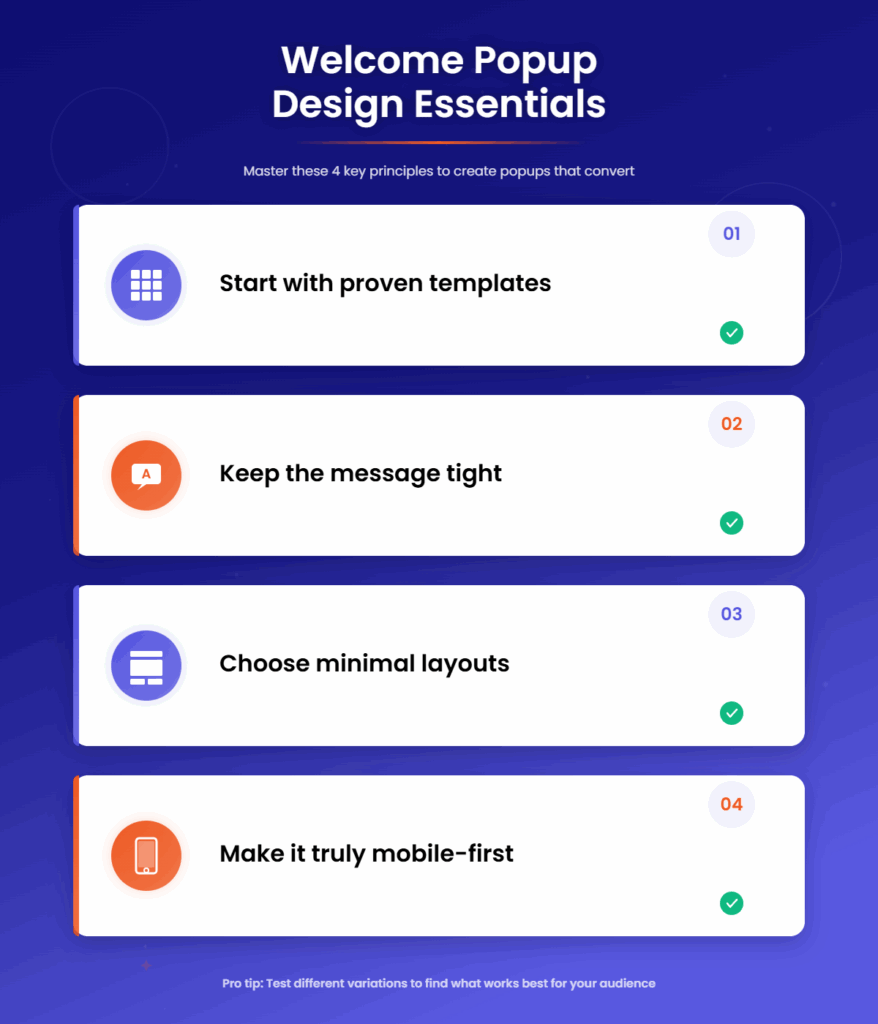
Start with proven templates
Template libraries exist for newsletter signups, discount offers, and exit-intent designs, and they’re engineered to convert across devices. Pick a layout that matches your goal, then customize colors, fonts, and imagery to align with your brand. Consistency builds trust and boosts submission rates.
Keep the message tight
Your headline should state the value in seven words or fewer, like “Join and save 15% today.” The subcopy clarifies the benefit and expectation, such as “Get the code instantly and early access to drops.” The call-to-action button should be specific and high-contrast, for example, “Unlock my code” rather than “Subscribe.”
Choose image-forward or minimal layouts based on load and clarity
If your products are visual, a single lifestyle image can establish context and elevate design. For speed, minimal layouts with typography and subtle accents often outperform heavy graphics, particularly on mobile.
Make it truly mobile-first
Mobile Friendly Popups are responsive by default, but test for font size, tap target spacing, and thumb-friendly close icons. Use full-screen or sticky footers on mobile when appropriate, and keep the overall size reasonable to avoid obscuring key content for search visitors. Lightweight code and deferred loading protect Core Web Vitals.
Form Setup That Converts And Stays Compliant
Fewer fields mean more signups. Start with one required field, email or phone, and add consent. Two-step approaches can work well, asking for email first and then optionally SMS on the confirmation state. Multi-column layouts look slick on desktop, but a simple, single-column form ensures maximum clarity and speed.
Validate in real time. Use built-in email and international phone validation so users see helpful, inline guidance before submitting.
Customize error messages to be human and brand-aligned, like “Hmm, that email doesn’t look right. Try again?”
Instant client-side validation reduces frustration and improves data quality.
Capture consent properly. For email, include a link to your privacy policy and an opt-in statement. For SMS, add a clearly labelled checkbox and TCPA language, including message frequency and “STOP to cancel” instructions.
Respect regional rules by enabling GDPR checkboxes for EU visitors and CCPA links for California. Consent should be explicit, time stamped, and stored with the profile.
Keep performance and security tight. Forms should validate instantly, submit over HTTPS, and scale under load. Ensure sensitive data is encrypted in transit, and only collect what you actually use for segmentation or personalization.
More Popup Marketing Resources for You
Data Quality And Segmentation From Day One
Plan your data model before you launch. Map each visible field to a customer profile property so it’s actionable in campaigns. If you ask for product interest or style preferences, decide how those values will drive flows, segment logic, and recommendations later.
Use hidden fields to make attribution easy. Automatically capture UTM parameters, referring source, device type, language, and campaign name, then store them on the customer record. This enables revenue per view and per campaign reporting down the line and avoids guesswork when you analyze performance.
Prevent duplicates and enrich profiles. De-duplicate by email or phone on submit and update existing records rather than creating new ones. Consider soft dedupe rules that prefer verified fields if a user later submits additional information. A clean database increases deliverability and reduces wasted sending costs.
Incentives That Work Without Killing The Margin
Discounts convert, but structure them wisely. A discount popup should use unique, single-use codes tied to the subscriber to prevent sharing. Set expiry windows of seven to fourteen days to create urgency without pressure. Define stacking rules so your welcome offer doesn’t combine with existing promos unless you intend it to.
Match the offer to your AOV and margins. For high-AOV products, a tiered amount-off or free accessory can outperform a flat percentage. For lower AOV, a modest percentage plus free shipping is compelling. If margins are tight, consider a non-discount value like an exclusive sizing guide, lookbook, or early access to drops.
Consider loyalty and social proof. If you run a loyalty program, weave in points for joining via the popup and mention how points can be redeemed at checkout. Reviews and user-generated content elevate trust; echo star ratings or a short testimonial near the CTA when space allows. Tools like TargetBay Rewards and TargetBay Reviews can amplify the perceived value of your welcome offer without racing to the bottom on price.
Thank-you Experience That Drives Action Now
Deliver the promise instantly. After submission, show an in-popup confirmation state that reveals the unique coupon code, not just “check your inbox.” Include a copy-to-clipboard button and a prominent “Shop Now” CTA that deep-links to your best-converting category.
Control the flow thoughtfully. You can auto-close the confirmation after a three to five second delay and keep shoppers on the page, or redirect after a short pause to a curated landing page. For lead magnets, provide a secure download link that expires after a set time and send a backup via email.
Track conversions and personalize with merge tags. Pass the code and subscriber’s first name into the thank-you message using merge tags, then fire a conversion event when they click through. Attribute revenue back to the popup view and submission to understand true ROI.
Fast Path To A Shopify Welcome Popup
You can launch a Shopify welcome popup in under an hour when you follow a clear workflow. Choose a high-performing template designed for discount or newsletter capture, then customize fonts, colors, and imagery to match your Shopify theme. Keep copy concise and consistent with your homepage messaging.
Configure form fields with a single required input for email or phone, plus region-specific consent. Map fields directly to Shopify customer properties, including tags for “welcome-subscriber” and hidden fields for source and campaign. Enable de-duplication so returning subscribers don’t create fragmented records.
Set your thank-you state to reveal a unique code instantly with a “Shop Now” button and auto-close after a short delay. Publish with timing and frequency caps for new visitors, then QA on multiple devices. Test on iOS Safari, Android Chrome, and desktop browsers to confirm load speed, tap targets, code reveal, and accessibility.
Optimization And Measurement That Matter
Track the right numbers. Your baseline metrics are view rate, view-to-submit rate, and submission-to-purchase rate. Combine them with revenue per view to understand profitability, not just form fills. Layer in submission quality by monitoring hard bounces, SMS opt-out rates, and spam complaints.
Run A/B tests continuously. Test timing (entry delay, scroll depth), copy (headline clarity, CTA specificity), layout (image versus minimal), and fields (email only, phone only, or two-step). Try offering variants such as 10% versus $10 off, or free shipping for first orders over a threshold. Study mobile versus desktop performance separately; what wins on desktop might overwhelm on mobile.
Close the loop with lifecycle automation. Route new subscribers into a welcome series via email and SMS that reiterates the offer, showcases top products, and tells your brand story. If a code isn’t used within a set window, automate a reminder message with a gentle nudge. With a well-built welcome popup feeding warm leads into TargetBay Email & SMS, you unlock compounding revenue from day one.
Conclusion
A high-converting welcome popup is the fastest, most controllable lever to grow your email and SMS list, improve data quality, and turn first clicks into first purchases. When you pair smart timing, focused design, minimal and compliant forms, disciplined data capture, and an instant thank-you experience, you get conversions that compound and a customer file you can actually monetize. Tools like TargetBay Email & SMS make this workflow approachable for busy teams, from templates and form logic to instant coupon delivery and automated welcome flows, so your first impression consistently turns traffic into revenue.
FAQs
What’s a good conversion rate for a welcome popup?
Most stores see a 3–8% view-to-submit rate, and 10% or more is achievable with a compelling offer, minimal fields, mobile-first design, and immediate coupon reveal. Always compare mobile and desktop separately.
How many fields should I use?
Start with one required field—email or phone—plus clear consent. Add additional fields only if they measurably improve segmentation and downstream revenue. If needed, use a second optional step after submission rather than crowding the first screen.
Will popups hurt SEO?
No, if implemented responsibly. Use lightweight code, reasonable sizes, delayed or scroll triggers, and ensure mobile popups do not block core content for search visitors. Fast load, accessible design, and frequency caps protect UX signals.
How do I handle SMS compliance in the popup?
Include a dedicated SMS consent checkbox with explicit TCPA language, link to terms and privacy policy, and capture time-stamped consent. Validate international phone formats and allow easy opt-out language like “Reply STOP to cancel.”
What’s the best offer for a discount popup?
Pick an incentive aligned to your AOV and margins, such as 10–15% off, free shipping thresholds, or a gift with purchase. Use unique, single-use codes with expiry and clear stacking rules to protect margin.