



⭐ Quick Summary
💸 Templates as a revenue engine: Email template design becomes a revenue engine when it standardizes structure, sizes, and tracking, enabling faster production, consistent branding, and reliable analytics that tie clicks and conversions to business outcomes.
📱 Mobile-first, client-safe design: Mobile-first layout, accessible typography, live text over images, and bulletproof HTML patterns minimize rendering issues, improve usability, and support deliverability across Gmail, Outlook, and Apple Mail.
🔗 End-to-end click tracking: Track every click with auto-wrapped URLs and standardized UTMs, validate links and unsubscribe placement pre-send, and extend personalization by resolving tokens and merge tags at send time.
🎨 Figma-to-code efficiency: Streamline your Figma-to-code workflow by exporting 2x assets, documenting spacing and tokens, using table-based responsive patterns, and testing new components in an isolated code playground before merging into master templates.
📊 Template iteration at scale: Close the loop with link-level analytics, CTA comparisons, and campaign-wide usage tracking, then iterate your master templates to scale wins faster using TargetBay Email & SMS as your execution layer.
Email templates design is a creative work built on top of a calculated revenue system.
If your templates aren’t consistent, mobile‑ready, and instrumented with airtight tracking, you’re leaving sales on the table.
This guide shows exactly how to build templates that render beautifully, measure every click, and scale your workload without introducing broken links, missing UTMs, or compliance risk.
Email Templates Design: Consistency, Speed, and Measurable Revenue
For e‑commerce teams, email templates design is the backbone of repeatable growth.
Consistency keeps your brand recognizably trusted across promotions, product drops, and lifecycle flows.
Speed comes from reusable building blocks, so you can ship a new campaign in minutes, not days.
Most importantly, measurable revenue demands link‑level analytics and standardized tracking so you know which calls‑to‑action and offers actually convert.
Many marketers struggle with inconsistent link tracking, missing UTM parameters, and broken deep links.
Others lose time in the Figma‑to‑code handoff, or can’t preview personalized URLs with real sample data.
Treat your template system as a product. Set standards for structure, sizes, tokens, and tracking. Then enforce them automatically.
More Email Template Resources for You
Email template Design Best Practices 2026
A strong foundation starts with mobile‑first layout. Use a single‑column structure that scales smoothly on small screens and avoids side‑by‑side content that collapses awkwardly.
Prioritize the primary CTA early, followed by supporting content, social proof, and the footer.
Establish a clear visual hierarchy with intentional spacing, large headings, and scannable sections.
Make buttons obvious and actionable, and keep copy concise.
Avoid image‑only emails by using live HTML text for key messaging and CTA labels to protect accessibility and deliverability.
Design accessibility into the template. Select high‑contrast color pairs, ensure body text at least 14–16px with a comfortable line height, and add descriptive alt text to images.
Use semantic HTML where feasible and stick to email‑safe fonts or reliable web font fallbacks with adequate contrast in dark mode.
Keep deliverability in mind. Inline CSS wherever possible to accommodate older clients.
Favor table‑based structure for layout reliability and use bulletproof button patterns instead of background images.
Balance your text‑to‑image ratio and always include a preheader. These email template design best practices reduce rendering surprises and spam filters while improving real engagement.
Sizes And Specs For Email Templates Design
Aim for a content width between 600 and 700 pixels to maximize compatibility across clients.
Keep body copy at 14–16px, with headings large enough to differentiate sections without overwhelming the layout.
Maintain at least 20–24px line height for readability.
Use 2x retina images to ensure crisp rendering on high‑density screens, but always set explicit width and height attributes to prevent layout shifts.
Optimize image compression and avoid unnecessary animation weight.
Keep total email weight around 1–1.5MB to respect bandwidth and load speed, and be mindful that Gmail clips messages at roughly 102KB of HTML, so minimize excessive code bloat and redundant styles.
For touch interactions, respect a minimum of 44px tap targets.
This applies to buttons, nav links, and social icons. Keep adequate padding around interactive elements and ensure enough white space to prevent accidental taps.
These choices anchor your email templates design size decisions in usability that converts on mobile.
Links That Perform in Your Email Templates
If a link isn’t tracked, it didn’t happen. Standardize your process so all links are auto‑wrapped for click tracking and UTM parameters are appended consistently.
Define UTM naming conventions for source, medium, campaign, content, and term.
Use lower case, hyphens, and predictable values so analytics stays clean and comparable across campaigns.
Validate every URL format before sending. Block emails with invalid schemes, missing protocols, or malformed query strings.
When you deep link to native apps, validate universal links and app links for mobile compatibility and set a web fallback to handle unsupported devices.
Maintain compliance by requiring an unsubscribe link in every marketing email.
Keep it easily discoverable in the footer and avoid manipulative microtype. Some brands also include a manage preferences link to reduce churn.
For social links, use platform‑specific formatting and full URLs rather than ambiguous handles.
Proper protocols, icon alt text, and finger‑friendly spacing improve both UX and analytics accuracy.
Personalization And Dynamic Tokens in Email Templates
Personalization should extend beyond copy into the actual URLs. Merge tags in URLs let you add subscriber IDs, coupon codes, and segments directly to query parameters, enabling precise attribution and landing‑page customization.
For example, you can append a loyalty tier or discount code to a shop link and resolve it at send time for each recipient.
Support product and offer tokens throughout the template. Plug in last‑viewed items, back‑in‑stock URLs, or time‑sensitive offers with dynamic replacement.
Guard against injection by validating token output and whitelisting destination domains.
When tokens resolve at send time, preview with sample data to confirm every CTA opens the correct page and carries expected UTM values.
If you’re evaluating how to design email template systems at scale, bake these token standards into your master modules.
Make sure your strategy covers parameters, encoding, fallback values, and truncation rules for long URLs.
Figma‑to‑HTML Workflow: Exporting Assets And Bulletproof HTML/CSS Patterns
Use Figma for structure, brand consistency, and cross‑functional sign‑off. Label layers clearly, specify font sizes and spacing tokens, and export images at 2x resolution.
Choose PNG or JPEG based on content and compression needs, and avoid formats that are poorly supported in email clients.
Provide redlines for text sizes, color values, and button padding to reduce ambiguity in the handoff.
Production HTML should rely on battle‑tested patterns. Table‑based layout with inline CSS remains the most reliable approach across Outlook, Gmail, and Apple Mail.
Use hybrid fluid techniques for responsive behavior without relying on fragile CSS. Adopt bulletproof button code that renders even when images are blocked.
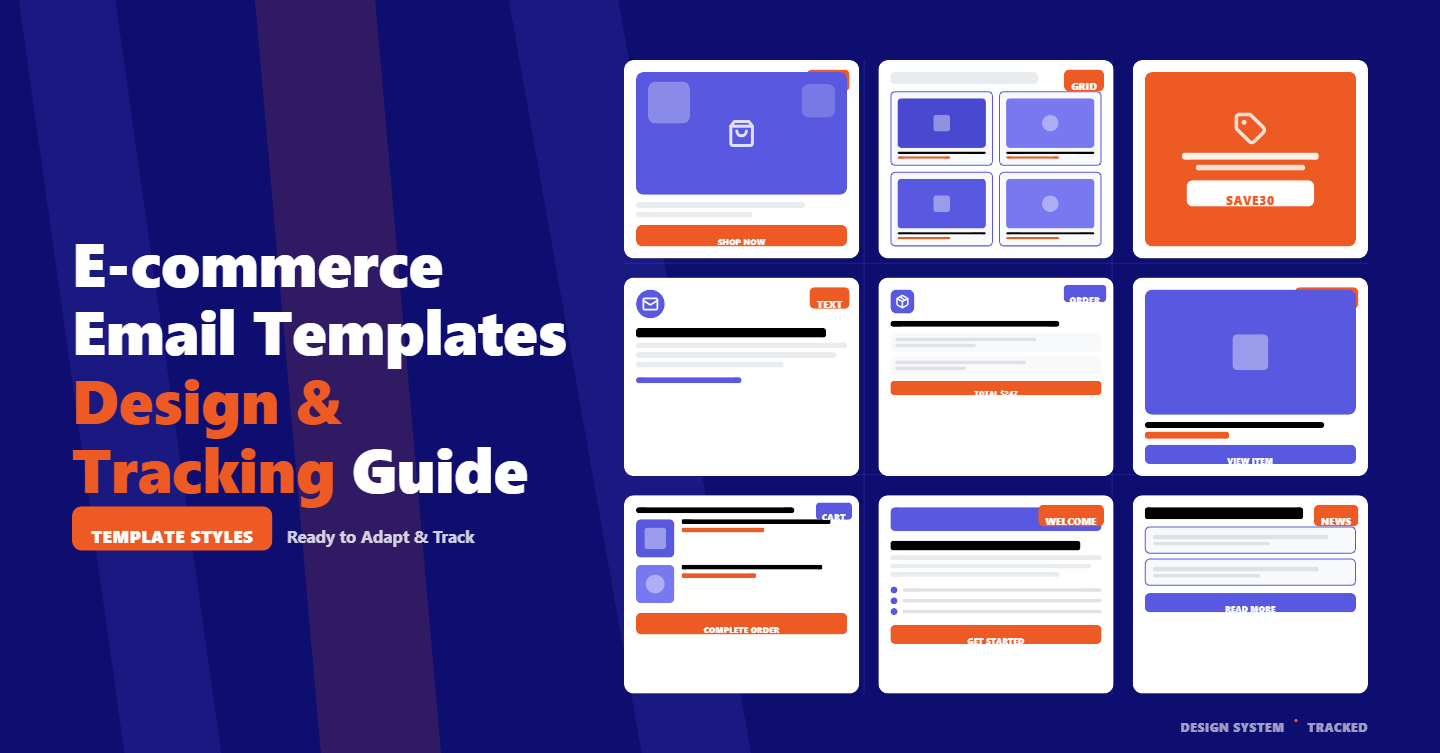
Maintain a minimal, reusable component library for headers, hero sections, product grids, footers, and legal copy, all accounted for in your email templates design HTML system.
When experimenting with new components, test small snippets in a sandbox like a code playground or CodePen before integrating them into your master template.
That approach helps you iterate quickly on email template design html css details like table alignment, spacing quirks, and dark mode overrides.
Finally, version your templates so you can roll back if a rendering edge case emerges.
QA And Preview: Link Validation and Cross‑Client Testing
Quality assurance is where revenue risk gets eliminated. Start with automated link validation to catch broken or invalid URLs, missing protocols, or unencoded characters.
Enforce UTM presence on all marketing links and block sends if the unsubscribe link is missing or malformed.
Preview with sample data to confirm dynamic tokens, personalized URLs, and conditional content render as expected.
Load multiple personas and edge cases, including empty fields, to ensure graceful fallbacks that won’t expose raw merge tags.
Validate deep links on iOS and Android, verifying they open the correct app view and fall back to the mobile web when the app isn’t installed.
Round out testing with cross‑client previews on major platforms and devices.
Check images off, dark mode, and zoom behaviors common in Gmail and iOS Mail. Inspect social icons, footer links, and legal text for tap size and contrast.
Spend special attention on the above‑the‑fold section where the primary CTA lives; small spacing or line‑height errors can halve click rate on mobile.
More Email Template Resources for You
Measure And Iterate: Link‑Level Analytics & CTA Comparisons
Track link usage and performance across campaigns at the individual URL level.
When all template links are auto‑wrapped and UTMs are standardized, you can compare CTA variants by position, copy, or color and discover which combinations actually drive add‑to‑cart and checkout.
Consistent link formatting also simplifies cohort analysis for new vs. returning customers or subscribers with different lifecycle statuses.
Build a small library of email templates design examples, and benchmarks, then use them to inform future sprints.
If the main hero button outperforms in the top 400px, codify that placement in the master template. If deep links to the app convert 2x higher for loyalty members, expand their footprint for that segment.
This is where email templates design ideas become a virtuous cycle: standards lead to reliable data, data leads to smarter templates, and smarter templates drive more sales.
Consider using free starter layouts for inspiration when you are short on time, but retrofit them to your brand, token structure, and tracking rules.
Treat these as email templates design inspiration, not production‑ready files, until they pass your QA checklist and analytics requirements.
Conclusion
A modern e‑commerce email program runs on disciplined email templates design.
When your templates bake in mobile‑first structure, precise sizes, airtight link tracking, and dynamic tokens, you get predictable rendering, faster production, and clean analytics that tie every click to revenue.
Tools like TargetBay Email & SMS help teams operationalize this approach with auto‑wrapped tracking URLs, standardized UTM parameters, dynamic link replacement at send time, preview with sample data, deep link validation, and link‑level analytics.
If your lifecycle strategy includes post‑purchase review requests or loyalty point nudges, pairing with TargetBay Reviews and TargetBay Rewards can extend this same systemized rigor across your customer journey.