



Quick Summary
⏱️ Calibrate timing to user intent: Start with 5–10 seconds or 35–60% scroll on browsing pages, and use exit-intent for desktop product and cart abandonment to preserve user experience and improve sustainable conversions.
🔁 Use frequency controls to build trust: Show once per session, cap exposure to one–two times every three–seven days, suppress after conversion, respect Do Not Track, and prioritize campaigns when multiple rules qualify.
📱 Apply mobile restraint and clarity: Use delayed slide-ins or sticky banners after 50% scroll or 8–10 seconds, keep copy short, ensure easy dismissal, and avoid full-screen interstitials that frustrate mobile visitors.
🎯 Leverage personalization for higher impact: Segment by device, traffic source, new vs. returning status, page type, and geography; combine rules with AND logic; and exclude low-intent pages to keep popups relevant and high-converting.
📊 Test continuously for compounding gains: A/B test triggers and delays over one–two weeks per segment, track signup conversion, bounce rate, time on page, and revenue per session, and iterate seasonally to strengthen performance.
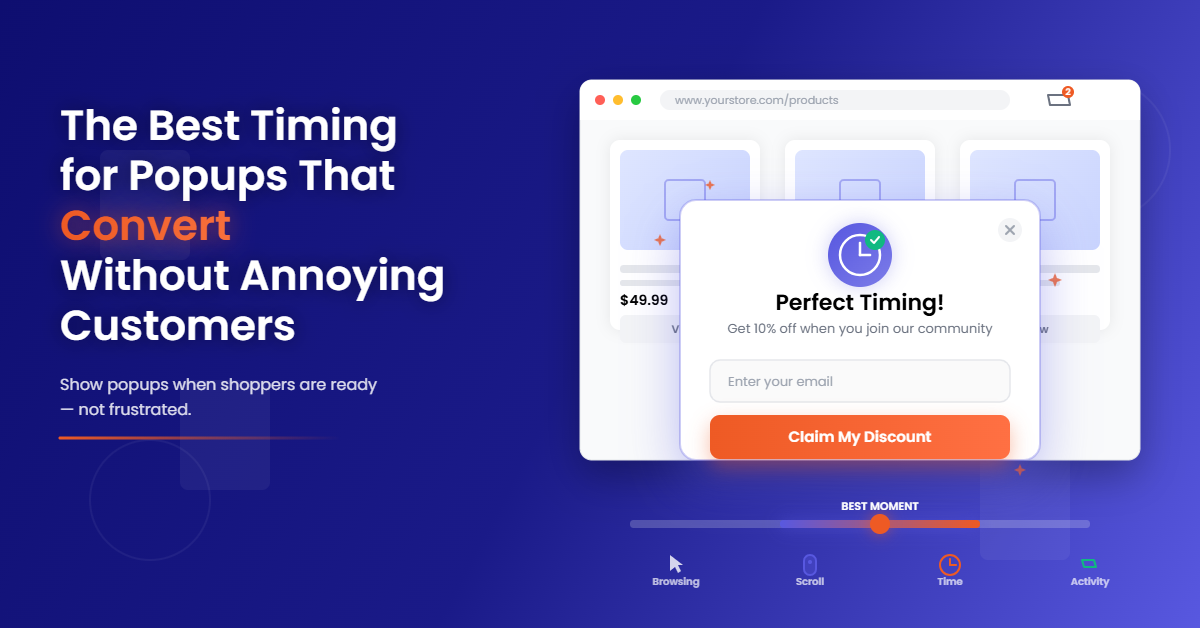
If your popups fire too early, you’re paying for traffic just to chase it away. The best timing for popups experiences should align with the intent, context, and relevance.
E-commerce brands that calibrate timing to where shoppers are in the journey see higher email capture rates, lower bounce, and more revenue per session. When timing is right, popups feel helpful, not hostile.
Why Timing Matters: Align to Intent to Boost Signups and Reduce Annoyance
Popups interrupt the flow of attention, which means they either save a session or sink it.
Triggering at the wrong moment creates friction, spikes bounce rates, and erodes brand trust, especially on mobile, where screen real estate is tight.
The right website popup timing respects how shoppers browse. Early in the session, visitors are information-seeking and resistant to commitment; later, they’re closer to deciding and more receptive to offers or help.
Mapping triggers to intent lifts conversion rate on signups and reduces ad blindness by reducing unnecessary impressions.
Small timing improvements scale fast. A one-point lift in signup conversion multiplies list growth, powers better email and SMS revenue, and gives you more first-party data for remarketing.
Timing is the quiet lever that compounds downstream gains.
Data-Backed Baseline Timings
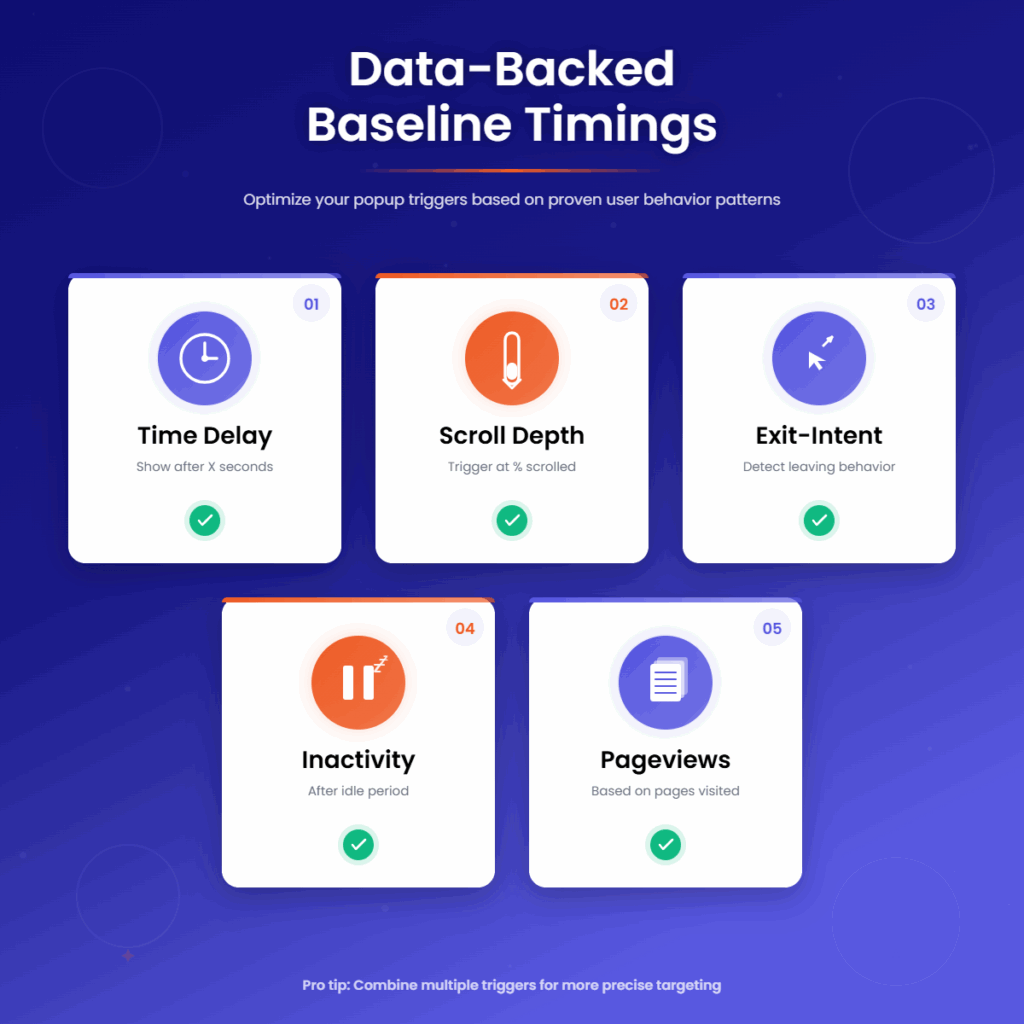
Time Delay
Start with a 5 to 10 second delay on content and collection pages where users are scanning thumbnails or reading.
This window allows engagement to form before a popup appears, improving consent rates.
On the homepage, use an 8 to 12 second delay since visitors often orient themselves before taking action.
Push longer only if bounce rises; aim to catch interest before attention wanes.
Scroll Depth
For articles and collection pages, trigger at 35 to 60% scroll depth. Shoppers who cross the halfway mark have higher browse intent and respond better to email capture or product discovery offers.
On long-form content or buying guides, place the popup around 70% scroll depth. At that point, readers have invested enough time that the request feels earned rather than intrusive.
Exit-Intent
On desktop product pages and carts, exit-intent triggers are essential. Fire when the cursor moves toward the browser back button or close icon and pair with a strong value prop, like saving a cart or a limited-time incentive.
Exit-intent is less reliable on mobile, so avoid relying on it there. Reserve it for desktop and back it with clear messaging that addresses abandonment risk in real time.
Inactivity
Use inactivity triggers of 10 to 20 seconds on product detail and checkout pages when behavior suggests confusion or second thoughts.
Offer assistance, size guides, shipping details, or a subtle incentive to keep momentum.
This approach works best when paired with context-aware copy. On checkout, the goal is reassurance, not distraction; keep the prompt light and easily dismissible.
Pageviews
For new visitors, wait until the second pageview to display a lead-capture popup. A visitor who clicks deeper has signaled interest, so the ask feels relevant and less abrupt.
This rule filters out low-intent sessions and improves quality without sacrificing list growth velocity.
Match Trigger to Context
New vs. Returning, Traffic Source, and Device
New visitors often need more time or scroll before converting. Returning customers can handle faster prompts, especially for account login, back-in-stock alerts, or loyalty offers.
Adjust email popup timing by source as well: paid search and shopping ads skew transactional, while social traffic may need more context before opting in.
Device matters. Desktop users can manage exit-intent and modal sizes more comfortably, while mobile users respond better to delayed slide-ins or sticky banners.
Use shorter copy and larger tap targets on mobile to protect UX metrics.
Page Targeting: Home, Collection, PDP, Cart, Checkout
On the homepage, aim for brand framing and value exchange, then trigger after 8 to 12 seconds or at 30 to 40% scroll.
On collection pages, prompt at 35 to 50% scroll with a “shop and save” angle that suits browsing intent.
On product detail pages, avoid interruptions early. Instead, use inactivity triggers at 10 to 20 seconds or a late scroll prompt at 60 to 70% if users are deeply engaged.
On cart pages, lead with exit-intent that preserves value or offers support.
On checkout, limit to reassurance popups that reduce friction, such as shipping timelines or payment help, and cap frequency tightly.
Practical Examples
On a collection page, trigger an email capture at 40% scroll, with a small incentive or an early-access promise.
This reaches shoppers who have explored enough to trust your brand.
On desktop, for a cart or product page, use exit intent coupled with a save-your-cart or free-shipping reminder.
This focuses the popup trigger on preserving revenue rather than forcing an early signup.
More Popup Marketing Resources for You
Frequency and Fatigue Controls
Nothing kills performance faster than overexposure. Show a popup once per session and no more than one to two times within a three to seven day window, depending on promotion intensity and average purchase cycle.
Suppress any popup after conversion to avoid redundancy. Cap impressions per campaign, and use cookies to enforce frequency limits so repeat visitors aren’t hammered on every visit.
Respect Do Not Track and privacy preferences, and clearly surface dismissal options to maintain trust.
Scheduling matters too. During peak promos, widen permissible frequency slightly but set a clear end date to avoid fatigue after the surge.
Outside of promotions, let your audience breathe; reducing frequency can lift conversion by restoring novelty.
Mobile-First Popup Timing
On mobile, prefer a delayed slide-in or a sticky banner that appears after 50% scroll or roughly 8 to 10 seconds. This format keeps the content visible, protects Core Web Vitals, and feels less intrusive.
Make dismissal effortless with a clear close icon and tap-friendly spacing. Avoid full-screen interstitials on entry; they feel like roadblocks and damage brand perception, even if they capture more emails in the short term.
Content and timing should be calibrated for small screens. Keep copy to one clear line, compress images, and test across devices to ensure fast load and smooth animations that don’t jolt the experience.
Personalization and Targeting
Personalization begins with targeting rules. Segment by geography, device, new versus returning, traffic source, and page type to tailor both timing and message.
Exclude low-intent pages like order confirmation or account settings to preserve goodwill.
Combine rules with AND logic so a popup displays only when all conditions are met, such as returning visitors on mobile from email traffic at 50% scroll.
When multiple popups qualify, set a priority so the most valuable or relevant experience wins and others are suppressed.
Use URL patterns for granular page targeting, schedule campaigns by date and time to support seasonality, and leverage IP-based geolocation to make shipping or regional offers feel local and timely.
Precision in targeting reduces noise and compounds conversion gains.
Test and Measure
What to Track
Track signup conversion rate, bounce rate, time on page, pages per session, and revenue per session.
These metrics reveal the trade-off between aggressive capture and overall experience quality.
Monitor dismissal rates and impression frequency per visitor to detect fatigue.
High dismissals combined with rising bounce signals timing or relevance issues that need immediate adjustment.
How to A/B Test
Test one variable at a time, such as time delay versus scroll depth or 5 seconds versus 10 seconds, and segment by device to avoid muddy results.
Run tests for one to two weeks or until you reach a reliable sample, accounting for traffic variability and promotions.
For desktop abandonment, compare exit-intent with a late scroll trigger.
For mobile browse pages, compare delayed slide-in against a sticky banner to find the least intrusive, highest-performing format.
Iterate by Segment
Winning timings differ by audience, product category, and season. Re-test ahead of major sales, adjust during high-traffic periods, and maintain control to measure true lift.
Revisit frequency caps quarterly to match behavior shifts.
As your list grows, refine messaging and offers based on performance.
Use first-party data from your email and SMS platform to align popup content with previous engagement, purchase history, and lifecycle stage.
Conclusion
Timing transforms popups from interruptions into assistive moments that move shoppers forward.
By starting with proven baselines, tailoring the popup trigger to context, enforcing frequency caps, and testing diligently, you can lift conversions while defending UX.
If you want a faster route to orchestration, TargetBay Email & SMS helps you set precise display rules, segment audiences, and run controlled experiments that match timing to intent.
Connect popups to automated flows for new subscribers, and consider TargetBay Reviews or TargetBay Rewards to amplify social proof and loyalty once visitors join your list.
FAQs
What is the best timing for an email popup?
Begin with 5 to 10 seconds or 35 to 60% scroll on content and browse pages, and use exit-intent on desktop product and cart pages. Adjust by device and page type as tests reveal winners.
Should I use exit-intent or time-delay?
Use exit-intent on desktop for abandonment capture, and rely on time-delay or scroll-depth on mobile and early-funnel pages. Mix triggers by context rather than forcing a single approach everywhere.
How often should I show a popup to the same visitor?
Cap to once per session and no more than one to two times within three to seven days. Suppress if they subscribed or dismissed recently to avoid fatigue and preserve long-term performance.