



⭐ Quick Summary
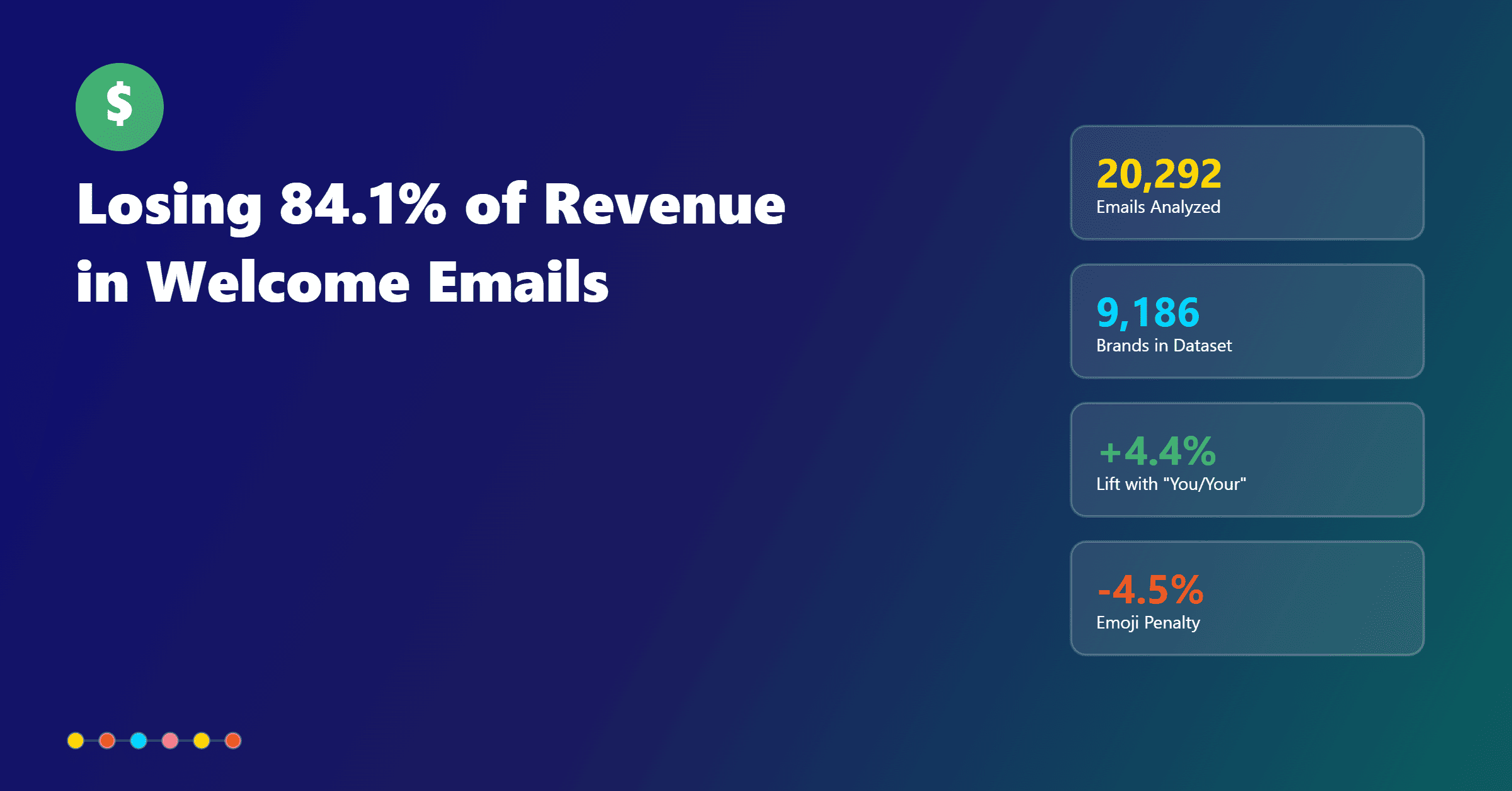
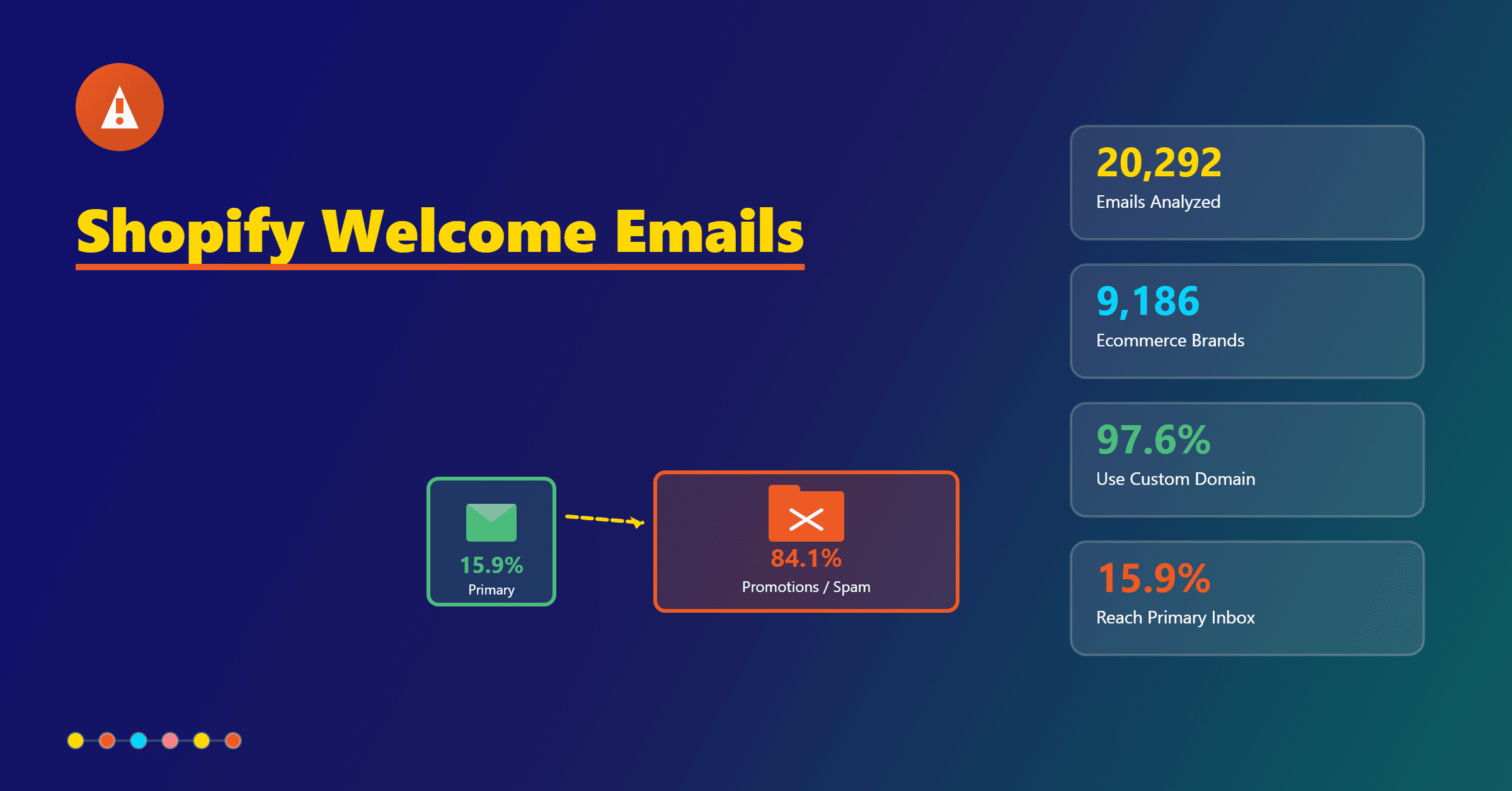
📬 Inbox placement is rare: The inbox is crowded and unforgiving. Out of 20,292 emails from 9,186 brands, 14,912 hit Promotions and 2,150 were flagged as spam, leaving only 3,230 “Inbox Winners.” Your automated welcome email must be built to beat those filters from day one.
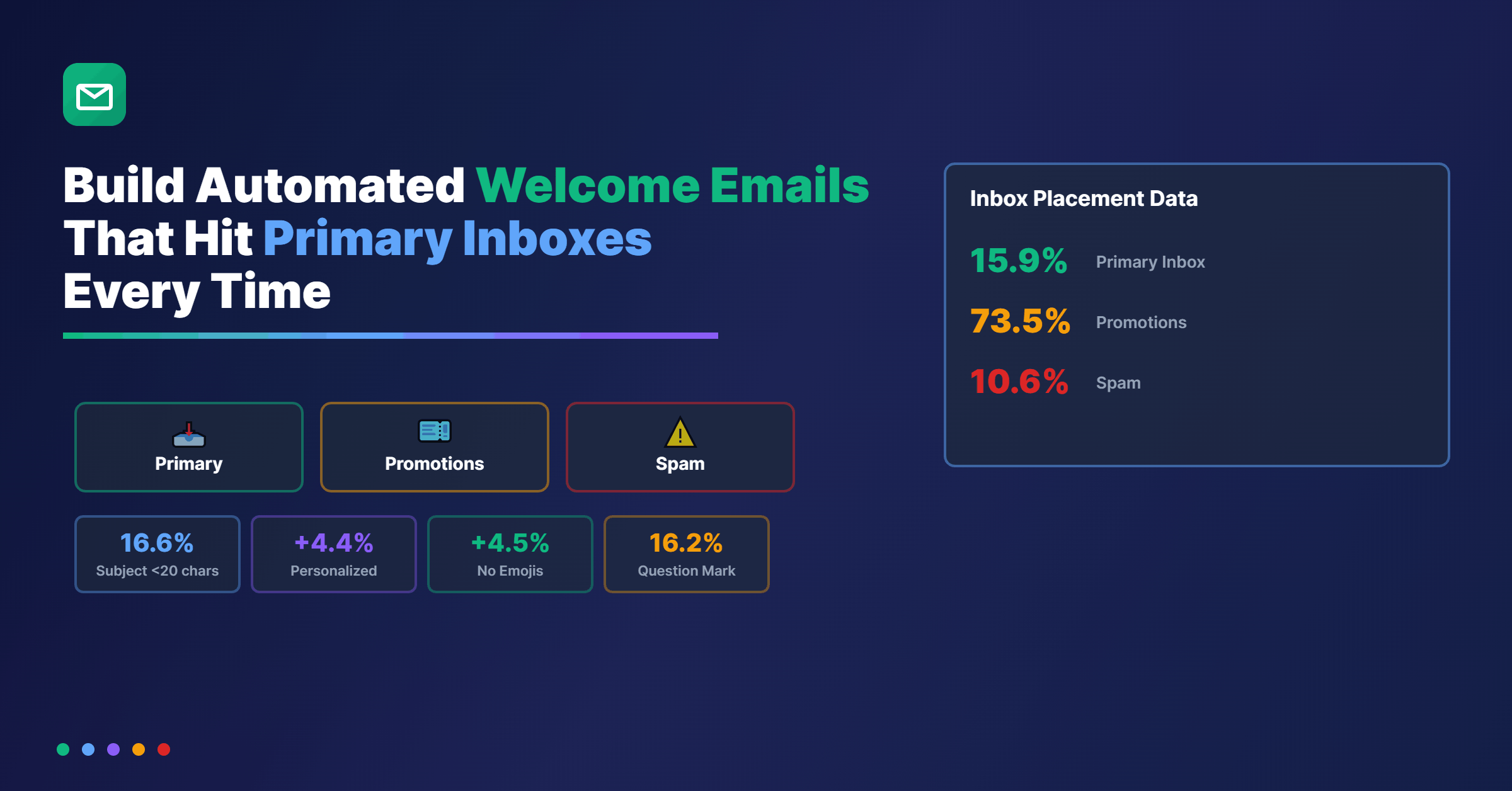
✂️ Short subjects win: Subjects in the 0–20 character range achieved a 16.6% inbox rate, while 41–60 characters slipped to 15.0% and 60+ characters fell to 12.7%. Keep your subject tight and focused.
⚠️ Symbols influence filtering: Emoji subjects performed 4.5% worse for inbox placement, while a single question mark aligned with a 16.2% inbox rate. Avoid attention hacks like “!!!,” which appeared in only 12 emails due to high risk or brand avoidance.
👤 Personalization improves placement: Personalized subjects across 4,172 emails delivered a 4.4% boost to Primary Inbox placement. Use first names and context from signup to make the email feel one-to-one.
🔄 Welcome series protects deliverability: A value-first welcome sequence of three to four emails that starts plain-text leaning, sets expectations, introduces proof, and invites action can keep you out of Promotions while driving faster time to first purchase.
New subscribers are valuable only if your welcome message actually reaches their Primary tab.
Too many ecommerce brands watch their first impression get buried in Promotions or, worse, flagged as spam.
In a dataset of 20,292 emails from 9,186 brands, 14,912 messages fell into Promotions and 2,150 landed in spam, a hefty 10.6% spam rate.
Only 3,230 emails made it cleanly to the Primary Inbox. If your automated welcome email doesn’t join those “Inbox Winners,” you start the relationship at a disadvantage.
This guide shows exactly how to build a welcome email and series that bypasses filters more reliably.
Every recommendation below ties back to observed inbox placement data and turns it into practical, repeatable steps for e-commerce marketers.
The stakes for your automated welcome email
When new subscribers sign up, they expect a fast, friendly confirmation that sets expectations and shares the first value.
If it arrives in Promotions or spam, open rates, click-through, and lifetime value suffer from day one.
The data confirms the scale of the risk. Out of 20,292 emails sent by 9,186 brands, 14,912 went to Promotions, where engagement tends to be lower for transactional-intent messages.
Another 2,150 emails, or 10.6%, were diverted to spam, a near-guaranteed engagement killer.
That leaves just 3,230 emails that successfully reached the Primary Inbox and formed the strongest start to a customer relationship.
Your automated welcome email should be optimized to emulate those Primary placements.
The tactics below favor shorter, cleaner subject lines, restrained formatting, and thoughtful personalization. These are the patterns the “Inbox Winners” shared.
Subject line length rules that protect deliverability
Subject line length is one of the most controllable variables, and the numbers show it matters.
Short subjects between 0 and 20 characters performed best, with a 16.6% inbox rate derived from 2,990 observed emails.
When brands pushed to 41–60 characters, a range many marketers consider “descriptive,” the inbox rate dropped to 15.0% across 4,131 emails.
The risk compounds when subjects exceed 60 characters. In 918 emails with 60+ characters, inbox rate fell to the lowest level measured, just 12.7%.
Keep your automated welcome email subject short enough to fit naturally on mobile screens and avoid trailing off in preview.
If you can deliver a clear value or acknowledge the subscriber with under 20 characters, do it.
Even a compact “Welcome, Alex” or “Your 10% off” signals meaning and clarity without tripping length-based filters or diluting urgency.
Punctuation and symbols: what helps and what triggers filters
Inbox filters pay attention to punctuation and visual markers.
Overselling or overdecorating a subject line can make your message look like an ad or a mass promo, pushing it toward Promotions or spam.
Emoji usage is a clear example.
In 6,307 emails with emojis in the subject line, inbox rates were 4.5% lower than text-only subjects.
That’s not a marginal difference; it’s a consistent penalty tied to decorative symbols.
Not all punctuation is harmful. Subject lines using a single question mark performed well, with 119 such emails achieving a 16.2% inbox rate.
The question mark often implies a conversation rather than a broadcasted promotion, and that can help signal a one-to-one tone.
On the other hand, “!!!” is an obvious red flag.
It appeared in just 12 emails across the dataset, likely because brands either learned to avoid it or the few who tried saw deliverability risk.
For welcome emails, restraint is a superpower. Choose clarity over flare.
Personalization that lifts Primary placement
Personalization reliably nudges your email toward the Primary tab because it feels like a person-to-person note.
In 4,172 personalized subjects, Primary Inbox placement rose by 4.4%. That lift is meaningful for a message as critical as your automated welcome email.
The simplest version often performs best.
Use the subscriber’s first name in the subject or in the opening sentence, then reference an action they took, such as subscribing, creating an account, or adding their first product to a wishlist.
Personalization should extend beyond the subject line.
Consider a first sentence that acknowledges the signup context and a body that reflects the category they browsed or the device they used.
Intent signals nudge filters toward Primary by making your message look like a one-to-one follow-up rather than a campaign blast.
Turning stats into strategy for your email welcome series
The “Inbox Winners” signal a framework for your automated welcome email strategy.
Keep subjects short and plain-text leaning, integrate light personalization, and avoid emojis and aggressive punctuation.
Lean into conversational phrasing with a question mark when it makes sense.
Translate those rules into a compact three to four-step welcome series.
Start with a plain-text leaning welcome that sets expectations and offers immediate value without heavy imagery.
Follow with a proof and onboarding message that introduces a single benefit, such as free returns, fit guides, or how-to content, to reduce buyer friction.
Next, emphasize social proof and trust by highlighting recent ratings and reviews to reassure first-time buyers and drive the first purchase.
Close with a gentle nudge message that invites preferences or account completion to improve future relevance.
Each email should feel like a service touchpoint, not a promotion disguised as a greeting.
A value-first sequence helps you avoid the Promotions tab. Promotional density, image-to-text imbalance, and repeated discount-first framing push filters toward Promotions.
A pragmatic cadence helps subscribers engage early, which further trains inboxes to expect your messages in Primary.
Automated welcome email examples
Short, plain, and personalized subjects outperform. Here are automated welcome email examples that map to the data-backed guidelines while conveying a friendly tone.
Welcome, Alex—ready to shop?
This subject is short, uses the subscriber’s name, and includes a light question mark that correlates with a 16.2% inbox rate in the dataset. It invites action without overselling.
Alex, your 10% is inside
This line is short and benefit-forward. It teases value while staying under the 20-character sweet spot for stronger inbox placement.
First-time tips for faster checkout?
A genuine question can imply help over hype, aligning with Primary Inbox signals rather than Promotions. It avoids emojis and keeps punctuation minimal.
A quick hello from [Store]
This subject is simple and brand-reinforcing. It signals a one-to-one greeting instead of a blast, which can help with Primary placement.
Start here, Alex
This stays in the 0–20 character range while being personalized and directive. It’s tight, mobile-friendly, and intentionally understated.
These examples are starting points you can A/B test. Keep the variants within a narrow character range, hold back emojis, and track whether question-led or benefit-led angles win more Primary placements.
Setup notes in TargetBay Email & SMS
You do not need a complex tech stack to build a deliverability-friendly welcome series.
In TargetBay Email & SMS, trigger your automated welcome email on signup or account creation so the message lands within minutes of the user action.
Keep the subject within 0–20 characters and avoid emojis or multiple exclamation points.
Use merge tags to add first-name personalization in both the subject and opening line, which is associated with a 4.4% Primary lift in the dataset.
Create a plain-text variant as part of your A/B testing plan.
Excessive images and promotional modules often push your email to Promotions; a minimalist version lets you see whether a cleaner layout yields more Primary placements and higher opens.
Before activating the full series, send seed tests to varied inboxes and devices.
Pay attention to which tab receives your test messages and adjust image count, link volume, and footer content until you consistently see Primary placement.
As you expand to a three or four-message series, stagger sends across the first 7–10 days and cap early-stage discounts to keep the value sequence feeling service-oriented, not promotional.
If you also collect user-generated content with TargetBay Reviews, integrate top-rated products or concise testimonials in the second or third welcome message as a small, text-first snippet rather than a graphic-heavy block.
When you launch a loyalty incentive with TargetBay Rewards, introduce it in the series with a single line and a clear CTA instead of a dense promotional banner.
The goal is to prove value without tipping the design into Promotions territory.
Quick template guidance
A strong automated welcome email template starts with a concise subject line and a crisp preview text.
Aim to convey your primary value offer or expectation-setting message within the first 40–60 preview characters.
Open with a personal greeting and a plain explanation of why the subscriber is receiving the email, then reinforce one benefit in a single short paragraph.
Place one clear primary CTA above the fold and resist the urge to add multiple competing links.
Minimize images in the first email and rely on 60–80% text to 20–40% imagery to lower Promotions risk.
Keep your footer light and avoid long lists of social icons and legal blocks that add promotional weight.
In TargetBay Email & SMS, save this lean layout as your default welcome template so every test iteration starts with a deliverability-friendly baseline.
Conclusion
When 73.5% of 20,292 observed emails end up in Promotions, and 10.5% go straight to spam, every optimization for your automated welcome email matters.
Short, personalized, punctuation-disciplined subjects combined with a plain-text leaning body give your message the best shot at Primary.
A thoughtful three to four-step sequence that leads with value, social proof, and onboarding support helps maintain that placement and accelerates time to first purchase.
Managing this playbook is easier when your tools work together. TargetBay Email & SMS, TargetBay Reviews, and TargetBay Rewards create a unified workflow for welcome messages, trust-building content, and early loyalty nudges without bloating your template or overcomplicating your stack. That cohesion helps you ship faster, test smarter, and keep more first-touch emails where they belong: the Primary Inbox.